
Should Your Employees Have Administrator Rights on Their Computers?
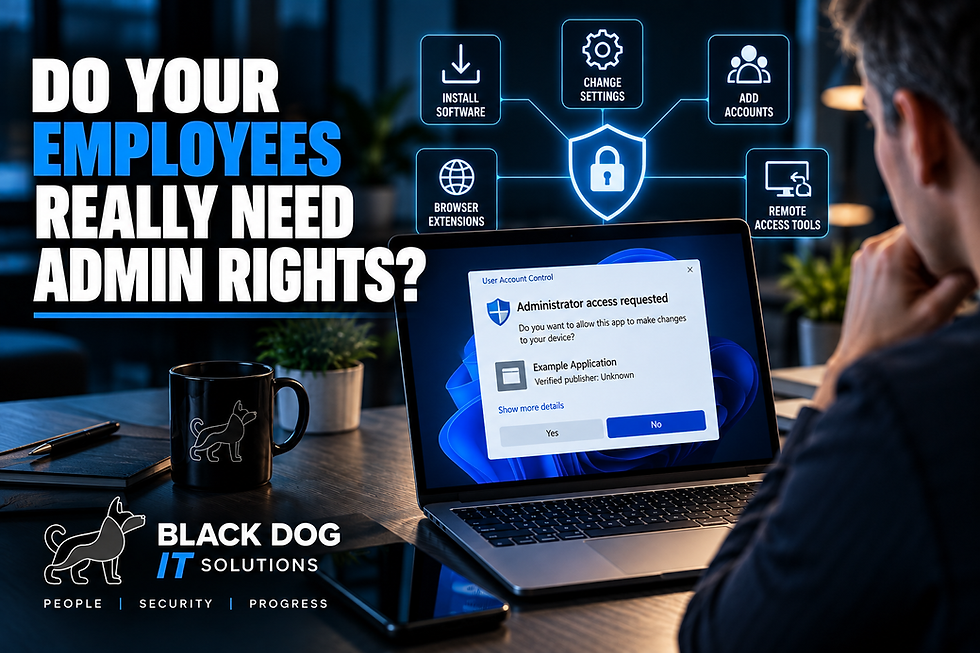
Can every employee in your company install whatever software they want on their work computer?
If the answer is yes—or you're not sure—it may be time to review who has administrator rights.
Administrator access can be convenient. Employees can install applications, change system settings, add hardware, and make other changes without contacting IT.
But that convenience also comes with additional risk.
For most employees, the better approach is simple:
Give people the access they need to do their jobs—not unlimited access to change their computers.
Let's look at what administrator rights actually mean and why small businesses should care.
What Are Administrator Rights?
Windows computers typically have different levels of user permissions.
A standard user can perform normal day-to-day tasks such as:
Using business applications
Browsing the internet
Accessing email
Working with documents
Using approved printers and other resources
Accessing company files
An administrator has additional privileges that can allow them to make significant changes to the computer.
Depending on the configuration, administrative privileges can be used to:
Install software
Remove software
Change certain security settings
Add or modify user accounts
Install drivers
Make system-level changes
Configure certain applications and services
Those capabilities are useful when IT needs to manage the computer.
The question is whether every employee needs those capabilities every day.
In many businesses, the answer is no.
1. Administrator Rights Can Make Unauthorized Software Easier to Install
One of the most common problems with unrestricted administrator access is software installation.
An employee might find an application online that seems useful and install it without involving IT.
Maybe it's a PDF converter.
A free file-sharing application.
A browser utility.
An AI tool.
Remote-access software.
Or an application they use personally at home.
The employee may have perfectly good intentions.
But now the business has software running on a company computer that nobody evaluated.
That creates questions:
Is the software legitimate?
Is it secure?
Is it properly licensed for business use?
Does it collect company data?
Will it conflict with existing software?
Will anyone maintain or update it?
Reducing unnecessary administrative access can help businesses maintain better control over what gets installed.
2. Malware Can Take Advantage of Excessive Privileges
Administrator rights don't automatically mean a computer will become infected with malware.
But excessive privileges can increase the potential impact of certain malicious activity.
If an employee accidentally runs a malicious application and that process obtains elevated privileges, it may be able to make changes that wouldn't otherwise be permitted.
That's why cybersecurity professionals often follow the concept of least privilege.
Least privilege simply means:
Give users and applications only the permissions they need to perform their legitimate tasks.
It's not about making employees' jobs difficult.
It's about reducing unnecessary opportunities for something to go wrong.
3. Employees Can Accidentally Change Important Settings
Not every IT problem is a cyberattack.
Sometimes someone simply changes something they shouldn't.
Administrator privileges can allow users to modify settings that affect:
Security
Networking
Applications
Devices
System configuration
User accounts
An employee may be trying to solve a minor problem and accidentally create a larger one.
That's especially common when someone searches online for a fix and follows instructions without fully understanding what those instructions change.
Restricting administrative access can help protect important configurations from accidental changes.
4. Browser Extensions Can Create Another Risk
Browser extensions are easy to overlook.
Some are useful.
Others may request extensive access to browsing activity, websites, data, or other information.
Employees may install extensions for:
PDF tools
Shopping
AI assistants
Grammar checking
Screenshots
File conversion
Password management
Productivity
Businesses should have some visibility into which browser extensions are being used—especially when employees regularly work with customer or company information.
Administrator rights aren't the only control involved with browser extensions, but the broader principle is the same:
Employees shouldn't be able to introduce unlimited technology into the business without oversight.
5. Unapproved Remote-Access Software Can Be Especially Concerning
Remote-access tools have legitimate business uses.
IT providers use remote-management technology every day to support customers.
But an unknown remote-access application appearing on a company computer deserves attention.
If employees can freely install remote-access tools, they may unintentionally create another way for someone to connect to the device.
Remote access should be approved, secured, documented, and managed.
Your business should know which tools are being used and why.
6. Administrator Rights Can Make IT Support More Complicated
Standardizing computers makes them easier to support.
If every employee can independently install applications and change configurations, computers can gradually become very different from one another.
One employee has three PDF applications.
Another has several browser extensions.
Someone else installed a remote desktop utility.
Another employee changed security settings because an online tutorial told them to.
Now troubleshooting becomes more difficult because every computer is configured differently.
Reducing unnecessary administrator access can help maintain a more consistent and supportable IT environment.
7. What Is the Principle of Least Privilege?
The phrase sounds technical, but the idea is straightforward.
People should have the access necessary to do their jobs—and no more than reasonably necessary.
For example:
An accounting employee needs access to accounting software.
That doesn't necessarily mean they need administrator privileges on the computer.
A salesperson needs access to the CRM.
That doesn't mean they need permission to install system software.
A manager may need access to sensitive company files.
That doesn't automatically mean they should be a Microsoft 365 global administrator.
Permissions should match responsibilities.
This concept can apply to:
Computers
Microsoft 365
Cloud applications
File shares
Accounting systems
Network equipment
Administrative portals
Business applications
Administrator access should be something you intentionally assign, not something everyone receives automatically.
8. What If Employees Occasionally Need Administrator Access?
This is where businesses need to balance security and usability.
There will be legitimate situations where an employee needs software installed or a system change made.
The answer shouldn't necessarily be:
“Too bad. You can't install anything.”
Instead, businesses should have a simple process.
For example:
Employee needs application → Request is reviewed → IT verifies application → Application is approved and installed
That allows employees to get the tools they need without giving everyone unrestricted administrator access all the time.
The process should also be reasonably fast.
If employees have to wait days for a simple approved application, they'll naturally look for ways around the process.
Good security controls should protect the business without unnecessarily preventing people from doing their jobs.
9. IT Administrators Shouldn't Always Use Admin Accounts Either
This principle isn't limited to employees.
People who manage IT systems should also be thoughtful about administrative access.
For certain environments, it may be appropriate to separate normal day-to-day accounts from privileged administrative accounts.
For example, someone responsible for Microsoft 365 administration doesn't necessarily need to perform everyday email and web browsing while signed into an account with the highest level of administrative privileges.
Separating privileged activities can reduce unnecessary exposure.
The exact configuration depends on the size and complexity of the business, but the underlying principle remains the same:
Use elevated privileges when they're needed—not simply because they're available.
10. Administrator Access Should Be Reviewed Regularly
Businesses change.
Employees change roles.
People leave.
Applications change.
IT responsibilities change.
Someone who legitimately needed administrative access two years ago may no longer need it today.
That's why privileged access should be reviewed periodically.
Your IT provider should be able to help answer:
Which employees have administrator rights?
Which computers have local administrators?
Who has Microsoft 365 administrative access?
Who has access to network equipment?
Who can manage backups?
Who can access security systems?
Are former employees completely removed?
Are administrative accounts protected with MFA?
You shouldn't have to guess who has elevated access to critical systems.
Don't Confuse Convenience With Necessity
One of the most common arguments for giving employees administrator rights is:
“It's just easier.”
And sometimes it is.
But convenience should be weighed against security, consistency, and supportability.
An employee who needs administrative access because of a specific job requirement is different from an employee who has administrator access simply because nobody ever changed the default configuration.
The goal isn't to remove access arbitrarily.
The goal is to make access intentional.
Administrator Rights Are Only One Piece of Endpoint Security
Removing local administrator privileges doesn't make a computer completely secure.
It's one layer.
Businesses should still consider protections such as:
Endpoint security
Patch management
Multi-Factor Authentication
Email security
DNS/web protection
Password management
Backups
Security awareness training
Device monitoring
Software management
Cybersecurity works best when multiple layers work together.
If one protection fails, another may still help limit the impact.
Ask Your IT Provider One Simple Question
You don't need to become an expert in Windows permissions.
Ask your IT provider:
“Which employees currently have administrator rights, and do they actually need them?”
That's a reasonable question every business owner should be able to get answered.
If nobody knows—or everyone automatically has administrator access—it's worth reviewing.
Does Your Business Have Too Much Administrative Access?
Employees need technology that allows them to work efficiently.
But they don't necessarily need unrestricted control over their computers.
A well-managed IT environment balances productivity, security, and convenience by giving employees the access they need while protecting critical systems from unnecessary changes.
At Black Dog IT Solutions, we help small businesses manage computers, user permissions, Microsoft 365, cybersecurity, software, patching, and other technology controls.
We can review your environment, identify unnecessary administrative access, and help create a practical approach that protects the business without getting in the way of your employees.
Contact Black Dog IT Solutions to schedule an IT and security assessment and find out who has administrative access across your business.


Comments